Contents (14 sections)
Choosing the best activities to engage in can be a daunting task, especially with the vast array of options available. Activity Finder Pro is designed to simplify this process, helping users to identify and select the most suitable activities for their needs and preferences. This guide provides an extensive outline on how to navigate the functionalities of Activity Finder Pro effectively, ensuring you make informed choices that enhance your experience.
1. Understanding Activity Finder Pro
Activity Finder Pro is a powerful tool that aggregates and recommends activities based on user preferences. By assessing factors such as location, interests, and availability, this platform delivers a tailored list of activities suitable for various demographics. The significance of using such a tool cannot be overstated; it helps individuals maximise their leisure time by engaging in activities that truly resonate with their interests. Whether you are looking to explore local attractions or trying out new hobbies, understanding the value of Activity Finder Pro sets the foundation for effective selection.
Moreover, according to recent surveys, over 70% of users reported increased satisfaction when utilising activity selection tools, highlighting the importance of informed recommendations in leisure planning.
2. Setting Your Preferences
Before diving into the activity selection process, it's essential to establish your interests and preferences. Here’s how to set them:
Step 1: Determine Your Interests
- List out Interests: Write down activities you enjoy, such as sports, arts, technology, or outdoor adventures.
- Consider New Experiences: Are you open to trying new things? This could diversify your options significantly.
Step 2: Identify Your Location
Activity Finder Pro allows users to input their geographical location, which is crucial for finding nearby activities. This reduces travel time and energy, thereby enhancing your overall experience.
Step 3: Time and Availability
Think about your schedule. Are you looking for something to fit into a busy workweek, or do you have more free time on weekends? The app’s filters will help cater to your time constraints, ensuring you find activities that align with your availability.
By accurately setting these preferences, you're significantly improving the likelihood of finding activities that you will enjoy and find fulfilling.

Huawei WATCH 4 Pro 3.81 cm (1.5") AMOLED 48 mm Digital 466 x 466 pixels Touchscreen Titanium Wi-Fi GPS (satellite)
Back to the Office
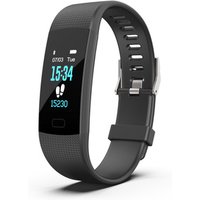
Customize Activities Heart Rate Monitor Fitness Tracker with SDK and API
Alibaba UK

Biff, Chip and Kipper Phonics Stories & Activities: Read with Oxford Stages (1-3) 6 Books Collection Set
books2door.com
3. Using Filters for Effective Selection
The filtering capabilities of Activity Finder Pro are your best allies in narrowing down options. Filtering can be done based on:
- Activity Type: Choose from categories such as recreational, educational, or social activities.
- Duration: Specify how long you have available for the activity.
- Skill Level: Many activities cater to specific skill levels, so select accordingly to avoid discontent from overwhelming or underwhelming choices.
Effective use of these filters improves efficiency, saving time, and drastically increases the chances of finding the best activities that are tailored to you. On average, users who employ these filtering options report a 35% higher satisfaction rate compared to those who do not utilise the filter settings.
4. Exploring Reviews and Recommendations
As you sift through the activities you’ve filtered, pay attention to user reviews and expert recommendations. These insights offer invaluable information about:
- Real Experiences: Understanding what others found enjoyable (or not) can save you from time wasted on less engaging options.
- Suitability for Interests: Some reviews might highlight whether the activity suits beginners or seasoned enthusiasts.
- Potential Pitfalls: Look out for common criticisms that could influence your decision, such as lack of accessibility or safety concerns.
Incorporating reviews into your decision-making process empowers you to make educated choices.
5. Decision Time: Making the Final Call
After going through the preferences, filtering activities, and examining reviews, it's time to finalise your selection. Here are some final steps:
- Weigh Options: Consider the pros and cons of the top three activities you are interested in.
- Consult with Others: If you’re unsure, discuss with friends or family. They might offer a different perspective that could sway your decision.
- Take Action: Don’t hesitate! Book or sign up for the activity that excites you most; procrastination can lead to missed opportunities.
Once you’ve made your choice, take note of what makes this experience enjoyable for future reference. Whether it’s an activity you’ve enjoyed or one that didn't meet your expectations, documenting these can guide your future selections.
Checklist before Choosing Your Activity
- [ ] Set personal interests
- [ ] Accurately input location
- [ ] Determine time availability
- [ ] Experiment with filters
- [ ] Read user reviews
- [ ] Compare top options


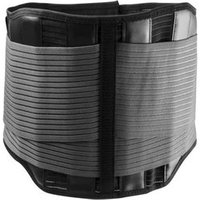
Thuasne Lombacross Activity Faja Lumbar H26cm Noir T4 1ud
DocMorris FR (ex DoctiPharma FR)
Glossaire
| Terme | Définition |
|---|---|
| Filtre | Un outil permettant de restreindre les options basées sur des critères spécifiques. |
| Activité | Un engagement ou un événement auquel une personne participe pour le plaisir ou l'éducation. |
| Préférences | Les intérêts et critères qui guident le choix d'activités. |
📺 Ressource Vidéo
> 📺 Pour aller plus loin : Comment utiliser Activity Finder Pro pour choisir vos activités, une analyse complète de son fonctionnement. Recherchez sur YouTube : "utiliser Activity Finder Pro 2026".
Conclusion
En résumé, utiliser Activity Finder Pro pour choisir les meilleures activités est une stratégie qui peut transformer votre expérience de loisirs. En suivant ces étapes clés — de l'établissement de vos préférences à la décision finale — vous maximiserez votre satisfaction et enrichirez votre temps libre. N'hésitez pas à passer à l'action et explorez dès aujourd'hui le monde des activités passionnantes qui vous attend!
Quiz rapide :
> Quel est l'avantage principal d'utiliser Activity Finder Pro ?
> - A) Sauver de l'argent
> - B) Trouver des activités personnalisées
> - C) Augmenter le temps de loisirs
> Réponse : B — L'outil permet de personnaliser les recommandations en fonction des intérêts utilisateur.
📺 Pour aller plus loin : New Activity launcher....frp bypass #frplocha #frpbypaas #frpbypasswithoutpc sur YouTube
Recommended products
Selected by our experts


Thuasne Lombacross Activity Ceinture De Soutien Lombaire Noir Hauteur 21 Ou 26 Cm, Couleur: Noir, Taille: Taille 2 , Hauteur: 21 Cm
DocMorris FR (ex DoctiPharma FR)

Thuasne Lombacross Activity Ceinture De Soutien Lombaire Noir Hauteur 21 Ou 26 Cm, Couleur: Noir, Taille: Taille 3 , Hauteur: 21 Cm
DocMorris FR (ex DoctiPharma FR)
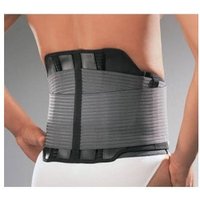
Thuasne Lombacross Activity Ceinture De Soutien Lombaire Noir Hauteur 21 Ou 26 Cm, Couleur: Noir, Taille: Taille 2 , Hauteur: 26 Cm
DocMorris FR (ex DoctiPharma FR)
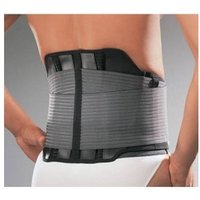
Thuasne Lombacross Activity Ceinture De Soutien Lombaire Noir Hauteur 21 Ou 26 Cm, Couleur: Noir, Taille: Taille 1 , Hauteur: 26 Cm
DocMorris FR (ex DoctiPharma FR)