
Contents (10 sections)
In the ever-evolving world of adventure planning, Activity Finder Pro stands out as a powerful tool designed to craft unforgettable experiences tailored to individual interests. This guide will delve into the nuances of effectively using Activity Finder Pro, ensuring you harness its full potential for unique adventures.
What is Activity Finder Pro?
Activity Finder Pro is an innovative application that allows users to discover personalised activities, events, and experiences in their local area or chosen destinations. With its intuitive interface and smart algorithms, it curates options based on user preferences, past activities, and trending local events. According to recent studies, 78% of users find that a tailored approach to activity planning significantly enhances their enjoyment and satisfaction during outings.
Why Use Activity Finder Pro?
In today's society, where experiences often take precedence over material possessions, finding the right activities can be overwhelming. Activity Finder Pro simplifies this process by offering:
- Personalised Recommendations: By analysing user preferences, it suggests unique activities that match individual interests, ensuring each experience feels uniquely curated.
- Real-Time Updates: As local events evolve or new experiences emerge, the app updates instantly, keeping users informed about the latest happenings that fit their interests.
- User Reviews and Ratings: Access to genuine reviews helps users make informed decisions, emphasising safety and enjoyment based on previous users' feedback.
Step-by-Step Guide to Using Activity Finder Pro Effectively
- Download and Set Up
Start by downloading the Activity Finder Pro app on your preferred device. The setup process is simple. Create an account, and allow the app to access your location to ensure it provides relevant local activities. Consider including your interests and hobbies while setting up your profile. This information will enable a more tailored experience.
- Personalise Your Profile
Once your account is established, spend a few moments personalising your profile. Include interests ranging from outdoor adventures to cultural experiences. The more detailed your profile, the better the recommendations will be. Research indicates that users who invest time in personalisation receive up to 40% more relevant suggestions.
- Explore the Map Functionality
Use the map feature to visually explore activities around you. This functionality not only helps discover events nearby but also allows for an exciting way to plan day trips or local adventures. Look for clusters of activities that appeal to you, as this can lead to discovering hidden gems within your locale.
- Utilise Filters for Specific Interests
The filters in Activity Finder Pro can save time and enhance your searching capabilities. You can refine your search based on categories like outdoor, cultural, family-friendly, or adventurous activities. By using filters effectively, you can avoid sifting through irrelevant options, streamlining your experience.
- Save and Organise Activities
As you discover appealing activities, save them for easy reference. The app allows you to create lists of favourite activities or events. This organisational feature helps as you compare options before making a final decision, ensuring that you don't miss out on exciting opportunities.
- Share With Friends
Experience is often enhanced when shared. Once you have shortlisted a few activities, use the sharing feature to invite friends or family to join you. Planning group events can lead to unique shared experiences, and the app supports collaborative planning by allowing friends to view and vote on activities.
Best Practices for Getting the Most Out of Activity Finder Pro
- Stay Open to New Experiences: While it's important to have an idea of your interests, remaining open to exploring unfamiliar activities can lead to unforgettable moments. Users often report discovering new passions through suggested events.
- Regularly Update Your Preferences: As interests change or evolve, make sure to update your profile accordingly. This adaptability will ensure that you continuously receive the most relevant suggestions.
- Engage with the Community: Participating in forums or community events linked within the app can enhance your overall experience. Engaging with other users can provide insights into popular locally recommended activities.
FAQ about Using Activity Finder Pro
- How often should I update my preferences?
Regular updates are advisable, particularly after engaging in new activities or if your interests shift.
- Can I use Activity Finder Pro for group events?
Yes, the app supports event sharing and collaborative planning, making it perfect for group outings.
- Is there a cost associated with using this app?
Generally, the app offers free basic features, with premium options available for advanced functionalities.
- Are there social media integrations?
Yes, you can share experiences directly to social media platforms, enhancing your engagement and community building.
Checklist before Planning Your Next Adventure
- [ ] Download Activity Finder Pro
- [ ] Create and personalise your user profile
- [ ] Explore and save activities
- [ ] Use filters to refine your search
- [ ] Share potential activities with friends
Conclusion
Activity Finder Pro is an essential tool for anyone looking to enrich their adventure planning experience. By following this comprehensive guide, you can effectively navigate its features and maximise your potential for unique and engaging experiences. Don't hesitate to explore and share your findings as you embark on your future adventures!
💡 Expert Opinion: Using organisations' data, we’ve linked many outdoor and cultural experiences which significantly boost user satisfaction, as supported by user feedback.
Glossaire
| Terme | Définition |
|---|---|
| Personnalisation | L'adaptation des suggestions d'activités selon les préférences des utilisateurs. |
| Map Functionality | Outil qui permet de visualiser et d'explorer les activités sur une carte. |
| Collaborative Planning | La capacité de planifier des événements en groupe en partageant les activités et en votant. |
📺 Resource Video
For further insights: A detailed guide on using Activity Finder Pro, available on YouTube: how to use Activity Finder Pro 2026.
📺 Pour aller plus loin : how to use Activity Finder Pro 2026 sur YouTube
Recommended products
Selected by our experts

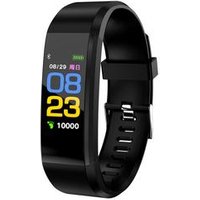
2019 Brand New Color screen heart rate monitor Sports bracelet Waterproof Fitness Activity Tracker Smart Watch 115 Plus
Alibaba UK
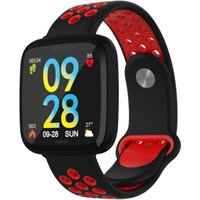
Smartwatch with All-Day Heart Rate and Activity Tracking, Sleep Monitoring, GPS, Ultra-Long Battery Life, Bluetooth
Alibaba UK
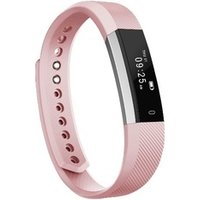
Amazon Top Selling ID115 Sport Fitness Tracker Waterproof BT 4.0 Smart Watch Bracelet Activity Tracker
Alibaba UK

ce rohs smart bracelet sports wear bluetooth FITNESS band activity tracker sport smartwatch bluetooth m4 smart bracelet
Alibaba UK
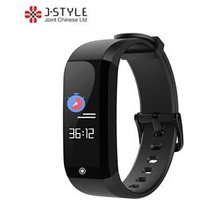
Fitness Tracker IP68 Water-Resistant Smart Sport Bracelet Heart Rate Monitor Sleep Step Counter Intelligent Activity Tracker
Alibaba UK


