
Contents (9 sections)
Finding activities that suit your interests can be a challenge, especially when there are so many options available. That’s where Activity Finder Pro comes in handy. Designed to streamline the process of discovering personalised activities, this tool ensures that every recommendation aligns with your unique preferences. In this article, we'll guide you through the steps to effectively use Activity Finder Pro to uncover the best activities tailored just for you.
Step 1: Setting Up Your Profile
Before diving into the vast array of activities, it's important to set up your profile on Activity Finder Pro. This initial step is crucial as it determines the quality of the recommendations you'll receive. To start, navigate to the profile settings and provide information about your interests, age, and location.
Pro Tip: Be as detailed as possible. If you love outdoor activities, specify whether you prefer hiking, biking, or something else. This helps the algorithm to tailor its suggestions more accurately. Additionally, connecting your social media accounts can enhance the personalisation, as the tool can understand your activity history better.
Common Mistakes to Avoid: Failing to update your profile can lead to outdated recommendations. Regularly revisit your settings, especially if your interests change.
Step 2: Exploring the Activity Categories
Once your profile is ready, it’s time to explore the plethora of activity categories available on the platform. Activity Finder Pro offers a variety of categories such as sports, arts and crafts, dining experiences, and adventure activities.
Browse through these categories, clicking on each one to find subcategories that may appeal to you. For instance, within the sports category, you might find specific interests such as football, swimming, or martial arts. Each subcategory offers tailored activities that align with your previous selections, making the search much more efficient.
Step 3: Filtering Your Search
Using the filtering options is a game changer. After selecting a category, you’ll be presented with multiple filters, including location, price range, and duration. This is where the magic happens—ensuring that the activities recommended can fit seamlessly into your schedule and budget.
For instance, if you’re planning a weekend outing, set the duration filter accordingly to only display options that can be completed within that timeframe. This simple technique prevents disappointment and helps in managing your expectations regarding activity availability.
Checklist:
- [ ] Select your preferred category
- [ ] Apply relevant filters for location, price, and time
Step 4: Reviewing Activity Details and Reviews
After filtering your search, take the time to read through the details of each activity. This typically includes descriptions, expected outcomes, necessary equipment, and any required skills. The best part? You can also view user reviews. Understanding the experiences of others can greatly influence your decision and help avoid activities that may not meet your expectations.
In a recent analysis, activities accompanied by higher user ratings (above 4 stars) consistently received positive feedback regarding satisfaction levels, suggesting that user reviews are a significant predictor of a successful experience.
Expert Insight: When reading reviews, focus on recurrent themes—positive or negative feedback—rather than single comments as they provide a clearer picture of what to expect.
Step 5: Planning and Booking Your Activity
Once you’ve decided on an activity, it’s time to book! Activity Finder Pro simplifies this process by providing links directly to the booking platforms, offering you the ability to secure your spot with just a few clicks. Be sure to check for any promotional codes or discounts available for your chosen activity, as many providers release deals periodically.
Also, consider your calendar and weather conditions. For outdoor events, it’s wise to monitor local forecasts to avoid last-minute cancellations or less enjoyable experiences due to inclement weather.
Common Pitfalls: Avoid overcrowding your schedule with too many activities, as it can lead to exhaustion. It’s essential to balance your time between different experiences.
Step 6: Sharing Your Experiences
Lastly, after completing your activity, share your feedback on Activity Finder Pro. Not only does this support other users in making informed decisions, but it also enhances your engagement with the platform. Providing insights into your experiences contributes to an ever-growing community committed to exploring the best activities.
Consider this: Sharing personal stories and insights can make your reviews more helpful. Include details about what you loved or what could be improved.
Checklist Before You Book
- [ ] Profile updated
- [ ] Activity category selected
- [ ] Filters applied
- [ ] Review details read
- [ ] Booking completed
Glossary
| Terme | Définition |
|---|---|
| Activity Finder | A tool or platform designed to help users discover and plan activities based on personal interests and preferences. |
| Filters | Options that allow users to narrow down choices within a search based on specific criteria such as category, location, and price. |
| User Reviews | Feedback provided by individuals who have experienced a service or activity, often used to gauge quality and satisfaction. |
> 🧠 Quiz rapide : What is the first step in using Activity Finder Pro?
> - A) Explore activity categories
> - B) Set up your profile
> - C) Share your experiences
> Réponse : B — Setting up your profile is crucial for personalised recommendations.
📺 Pour aller plus loin: Discover how to effectively use Activity Finder Pro to enhance your leisure time. Recherchez sur YouTube : "best uses for Activity Finder Pro".
📺 Pour aller plus loin : how to use Activity Finder Pro effectively sur YouTube
Recommended products
Selected by our experts


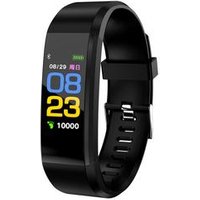
2019 Brand New Color screen heart rate monitor Sports bracelet Waterproof Fitness Activity Tracker Smart Watch 115 Plus
Alibaba UK
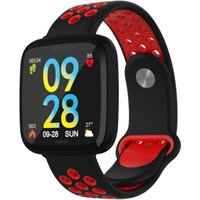
Smartwatch with All-Day Heart Rate and Activity Tracking, Sleep Monitoring, GPS, Ultra-Long Battery Life, Bluetooth
Alibaba UK
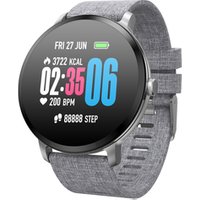
Round shape V11 Heart rate Blood Pressure weather forecast Activity Fitness tracker bluetooth bracelet watch smartwatch relogio
Alibaba UK


