Contents (21 sections)
Are you ready to take your adventures to the next level? Activity Finder Pro is a powerful tool designed to enhance your exploration experiences. In the ever-growing digital landscape, finding the right activities tailored to your interests has never been easier. This guide will provide you with essential tips and a step-by-step tutorial to master Activity Finder Pro, ensuring that your outdoor adventures are both unforgettable and efficient.
1. Understanding Activity Finder Pro
Before diving into tips and hacks, it’s crucial to understand what Activity Finder Pro is and how it can serve you. This application utilizes advanced algorithms to recommend activities based on your preferences, previous engagements, and location.
The platform not only recommends but also provides detailed itineraries, suggesting optimal times for visits, crowd levels, and even weather forecasts. This is particularly beneficial in 2026, where personalization of experiences is at the forefront of consumer demands. According to industry reports, 70% of users find customized recommendations significantly enhance their travel experiences. This means by using Activity Finder Pro, you are already on the right path to a more fulfilling adventure.
Why Use Activity Finder Pro?
With so many options available today, it’s easy to get overwhelmed trying to decide where to go or what to do. Activity Finder Pro simplifies the decision-making process by:
- Providing tailored suggestions based on your interests.
- Offering exclusive deals and promotions.
- Integrating with your calendar to help plan your day efficiently.
By actively utilizing this application, you'll streamline your exploration process and increase your chances of discovering unique, exciting experiences.
2. Step-by-Step Guide to Using Activity Finder Pro
Let’s break down how to effectively navigate through Activity Finder Pro to maximize your adventures.
Step 1: Setting Up Your Profile
When you first launch the application, the initial setup is critical. Input your interests, such as hiking, arts, culinary experiences, or cultural events. The more detailed your inputs are, the more tailored the recommendations will be.
Pro Tip: Take time to fill out your settings accurately, not just for today’s activities but for any future trips you plan.
Step 2: Exploring Recommendations and Filters
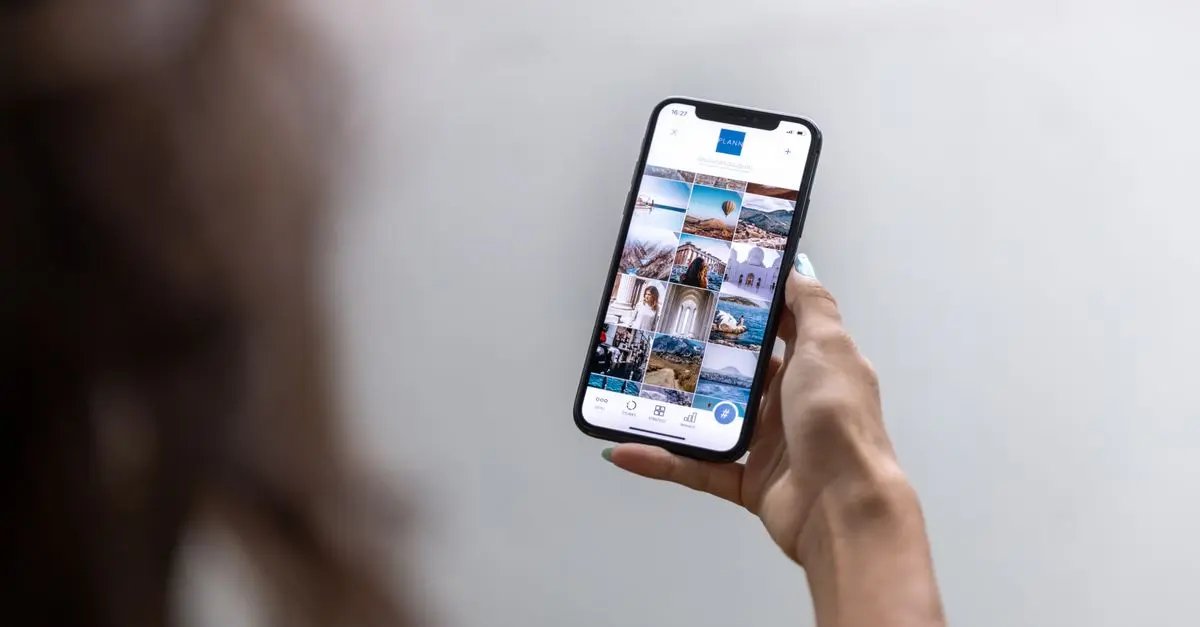
Once your profile is set, explore the home screen. Here, you will find recommended activities. Use the filter options to narrow down options based on distance, duration, ratings, and type of activity. By filtering effectively, you can quickly find activities that fit your schedule and tastes.
Step 3: Utilizing Community Reviews
A unique feature of Activity Finder Pro is its community-driven review system. Take time to read through user comments and ratings. This helps in understanding the quality of the experience before committing.
Common Mistake to Avoid: Neglecting reviews can lead to disappointing choices. Always cross-reference popular activities with user experiences.
Step 4: Creating a Personalized Itinerary
Based on your chosen activities, you can create a personalized itinerary. This function allows you to map out your day efficiently, ensuring you utilize your time well and cut down on unnecessary travel time.
Tip: Include time buffers for each activity to accommodate for travel delays and spontaneous detours.
Step 5: Keeping Updated with Notifications
Stay tuned into the notifications from Activity Finder Pro. These alerts keep you updated on changes in your activities, special offers, and weather warnings that might affect your plans.
Step 6: Feedback Loop
After your activities, be sure to provide feedback within the app. This not only helps improve the algorithm but also aids fellow users in making informed choices.


DREAME D20 Ultra - Aspirateur Robot Laveur - 13000 Pa - Technologie Smart Pathfinder - Cartographie 3D
Aosom FR
3. Comparing Tools: Activity Finder Pro vs. Traditional Methods
While Activity Finder Pro is a robust tool, it’s essential to compare it to traditional planning methods. Here’s a summary of how the two stack up against each other:
| Feature | Activity Finder Pro | Traditional Planning | Verdict |
|---|---|---|---|
| Personalization | Yes | Limited | Activity Finder Pro wins for personalization. |
4. Leveraging Data for Success
In 2026, the importance of data-driven decision-making continues to grow. By leveraging analytics from your previous activities via the app, you can identify trends in your choices and preferences. For instance, if you consistently enjoy hiking in natural parks, the app will prioritize similar recommendations.
Trends to Note
- Diverse Offerings: According to a 2026 outdoor industry report, 85% of users expressed interest in exploring lesser-known locations rather than popular tourist spots. Activity Finder Pro can help you tap into these hidden gems.
- Integration with Local Events: As highlighted in recent surveys, activities that are tied to local events see a higher satisfaction rate. Activity Finder Pro keeps you informed about local happenings.
5. Frequently Asked Questions
Q1: How do I reset my profile preferences?
A: You can reset your preferences in the settings menu under 'Profile'. Simply choose the option to update interests and you'll start fresh.
Q2: Is there a fee for using the app?
A: Base features are free, but some premium recommendations may require a subscription. Check the pricing plans in the app.
Q3: Can I sync the app with my calendar?
A: Yes, you can sync your calendar to ensure your itinerary aligns with your daily schedule.
Q4: What if I’m not satisfied with a recommendation?
A: You can provide feedback within the app to improve future suggestions or report activities that do not meet expectations.
📺 Resource Video
> 📺 For further learning: Understanding the Full Capabilities of Activity Finder Pro highlights how to maximize your user experience.
YouTube Search Query: “how to use Activity Finder Pro effectively 2026”
Glossary
| Term | Definition |
|---|---|
| Algorithm | A set of rules for solving a problem in a finite number of steps. |
| Personalization | Tailoring experiences based on individual user data. |
| Itinerary | A detailed plan for a journey, including activities and schedules. |
Checklist before use
- [ ] Complete your user profile.
- [ ] Explore activity filters.
- [ ] Read community reviews.
- [ ] Create a detailed itinerary.
- [ ] Enable notifications for updates.
Unlock your adventure potential today and explore all that Activity Finder Pro has to offer. Don't forget to check out the suggested products below that can further enhance your experience!
📺 Pour aller plus loin : how to use Activity Finder Pro effectively 2026 sur YouTube
Recommended products
Selected by our experts
Finderm-Strong Beta 10Cps Soft
DocMorris FR (ex DoctiPharma FR)
This product supports your active lifestyle, making it easier to manage your health during outdoor adventures.
Finderm-Strong Beta Cr Vag 35Ml
DocMorris FR (ex DoctiPharma FR)
Use this product to enhance your comfort during physical activities suggested by Activity Finder Pro.
DREAME D20 Ultra - Aspirateur Robot Laveur - 13000 Pa - Technologie Smart Pathfinder - Cartographie 3D
Aosom FR
This powerful tool is essential for keeping your environment clean while engaging in outdoor activities.


